
Guide to tie your verified Discord account to your human node
Here’s a step-by-step guide on how to link your Discord account to your Humanode validator wallet address. Active participation in one person - one vote polls gets you up the validator leaderboard beyond completing all 84 epochs.
Step 1. First and foremost, you need to be an active validator and get bio-authenticated by getting a ‘Verified Human’ role on Humanode Discord. Here’s how to get the ‘Verified Human’ role: Guide to get a Verified role
Step 2. Go to Polkadot.js.org explorer and sign a message to get a signature. Here’s how:
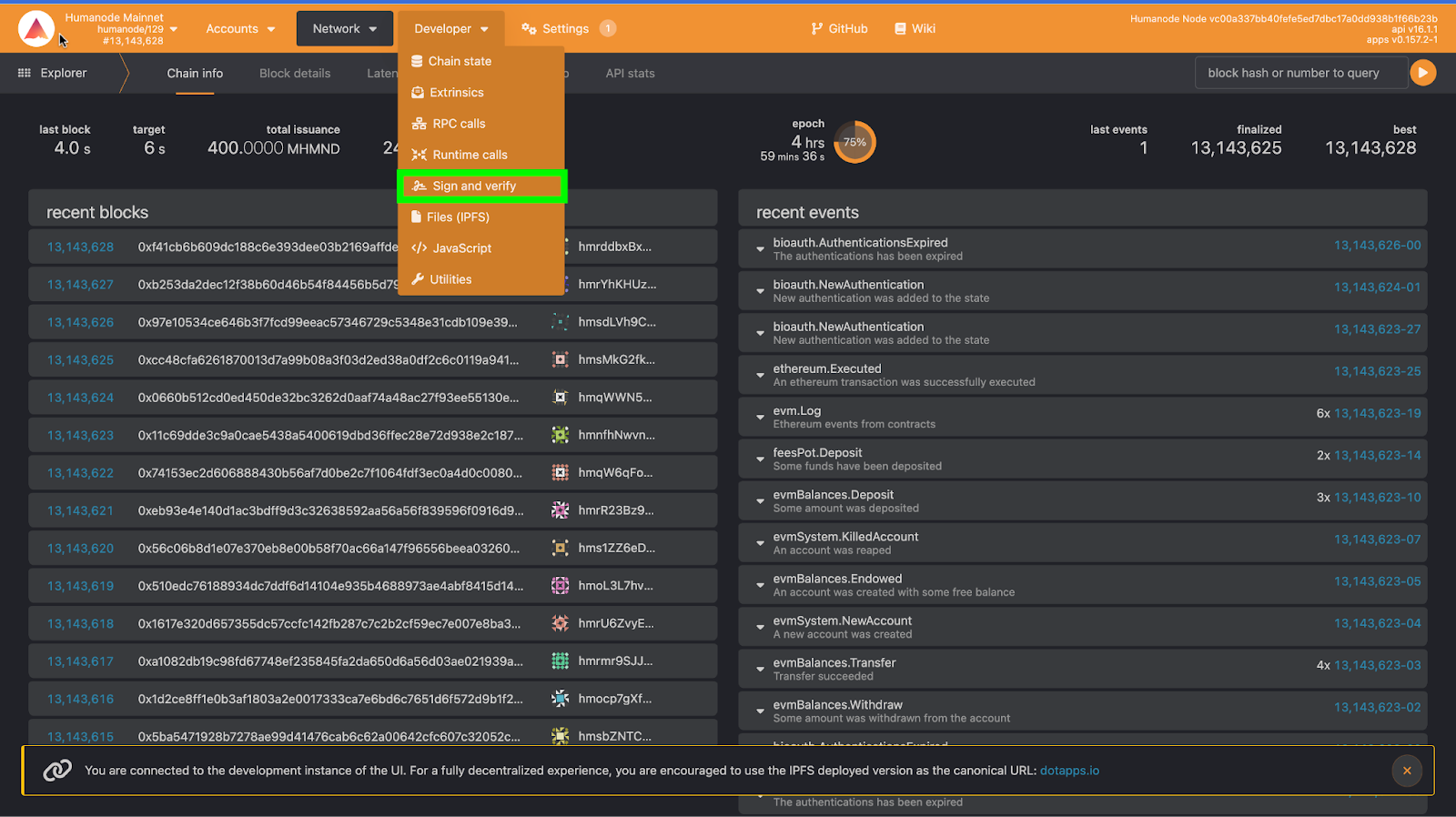
I. In Polkadot.js.org extension, under the Developer section. Choose Sign and verify.
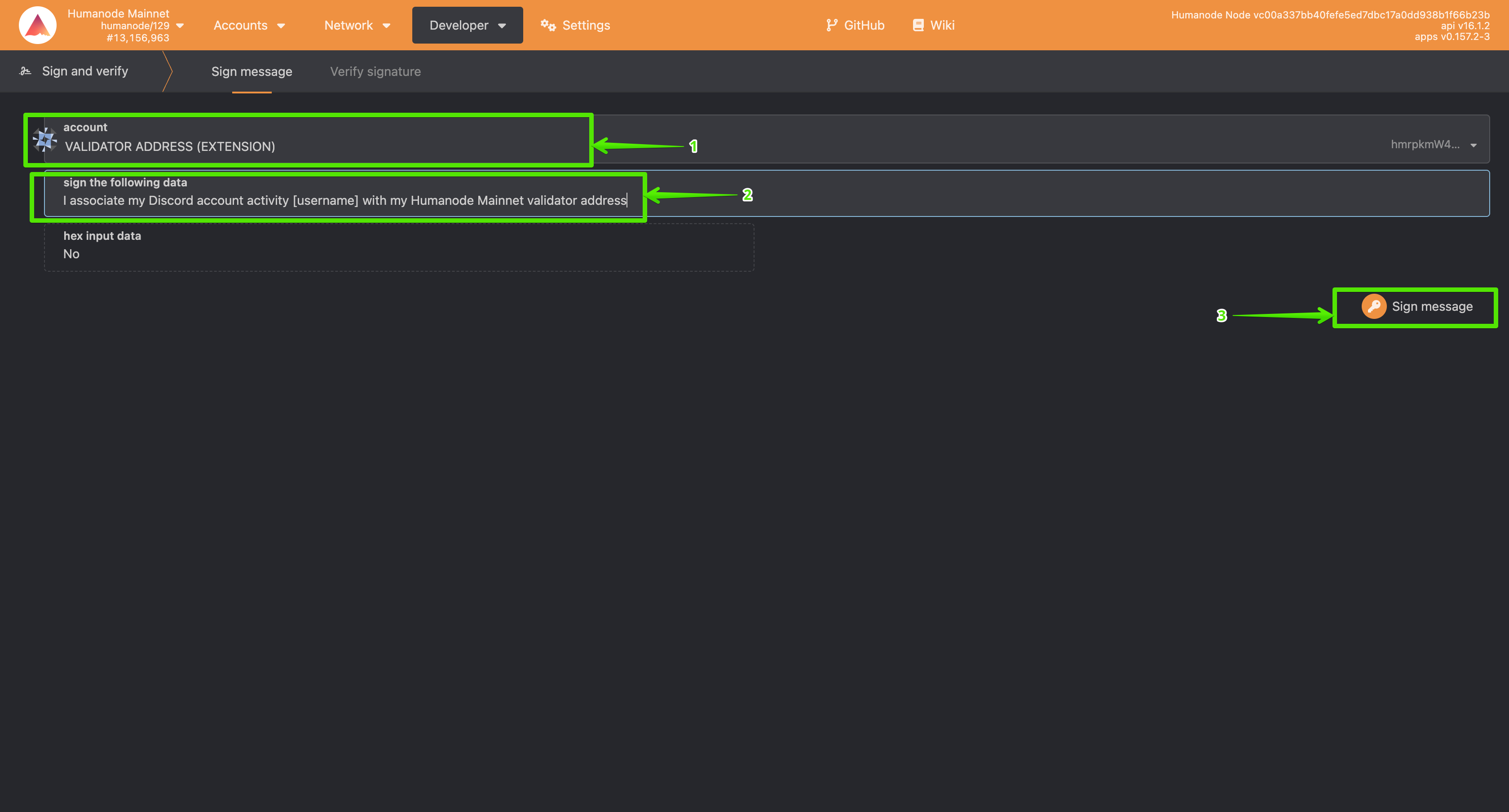
II. Choose your mainnet validator address, replace [username] with your Discord username and and sign the message.
Note: Use the address that you are using to run the node (Sample address: hmrpkmW4k6ZfxZEHCFBUSnhXe4ZJV7FjkFDCJAqqJCqjUFf4N)
You can get the Discord username by clicking on your profile in the bottom left of your Discord. Sample Discord username: ilikehumanode123
III. After successfully signing, you’ll get the signature of the supplied data. Copy this signature. Sample signature: 0x5406c81039881052df59b3e769143dccd5c6e72212805307161bb8c60ae6d21ac36afbe047f5c3d5c1d98c5584040056cd417895a0e6b02c5e6f7b74de8f5a8d
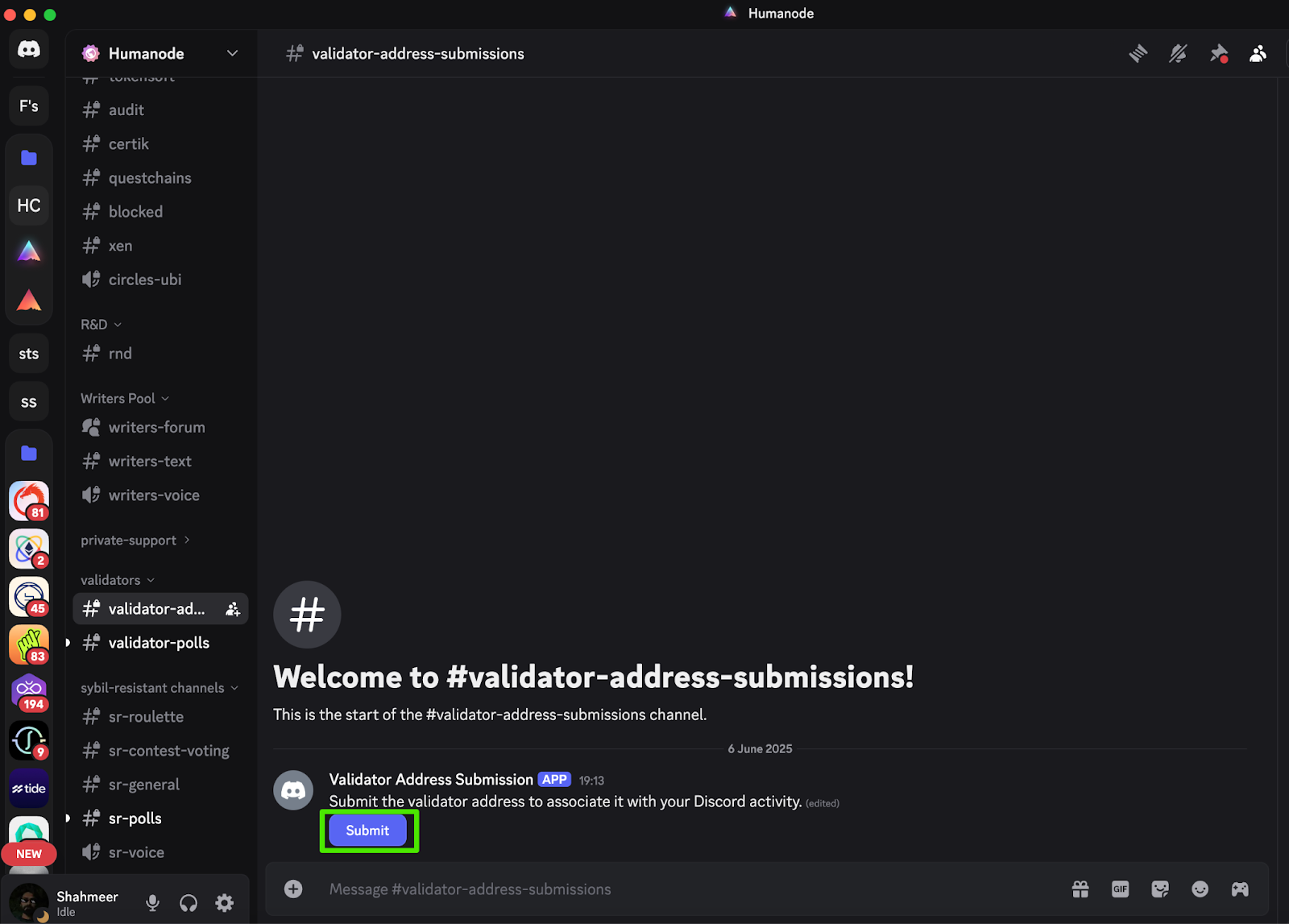
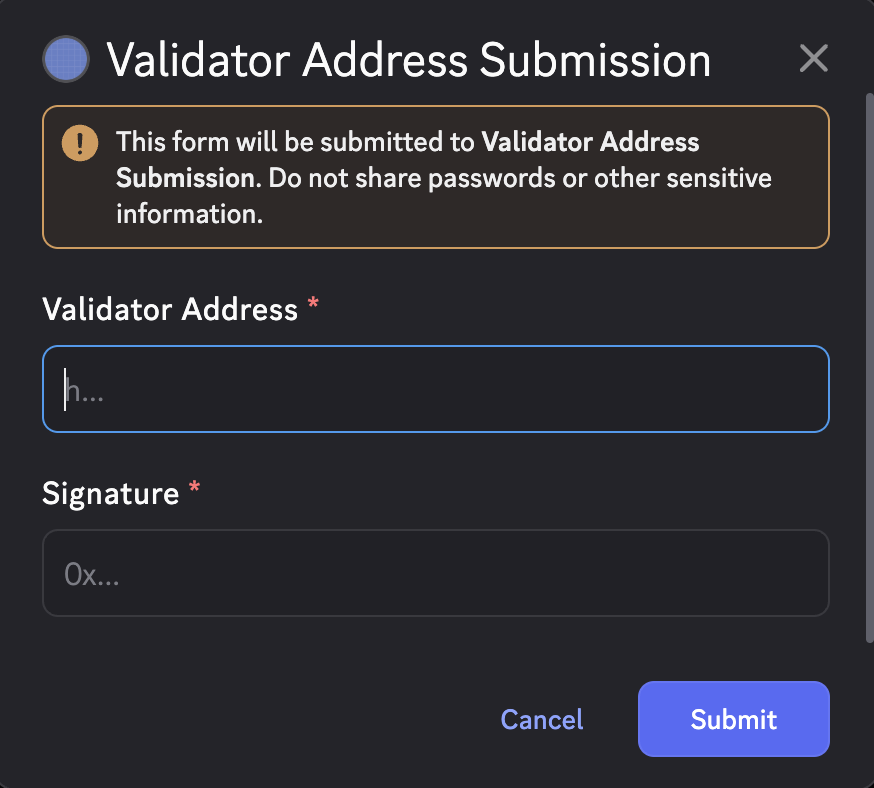
IV. Now, in the #validator-address-submissions Discord channel, fill in the form. You will need your validator address and the signature we got in the last step.
You’re all set! Join the #validator-polls channel and cast your vote.